A parent's guide to MidYIS-style practice
How to get started with OnlinePrep, choose a practice session, and use answer reviews to decide what to work on next.
When your child tries an unfamiliar assessment format, it helps to know what the practice involves before pressing Start. This guide explains how to use OnlinePrep, what its difficulty tiers mean, and how to turn an answer review into a useful next session.
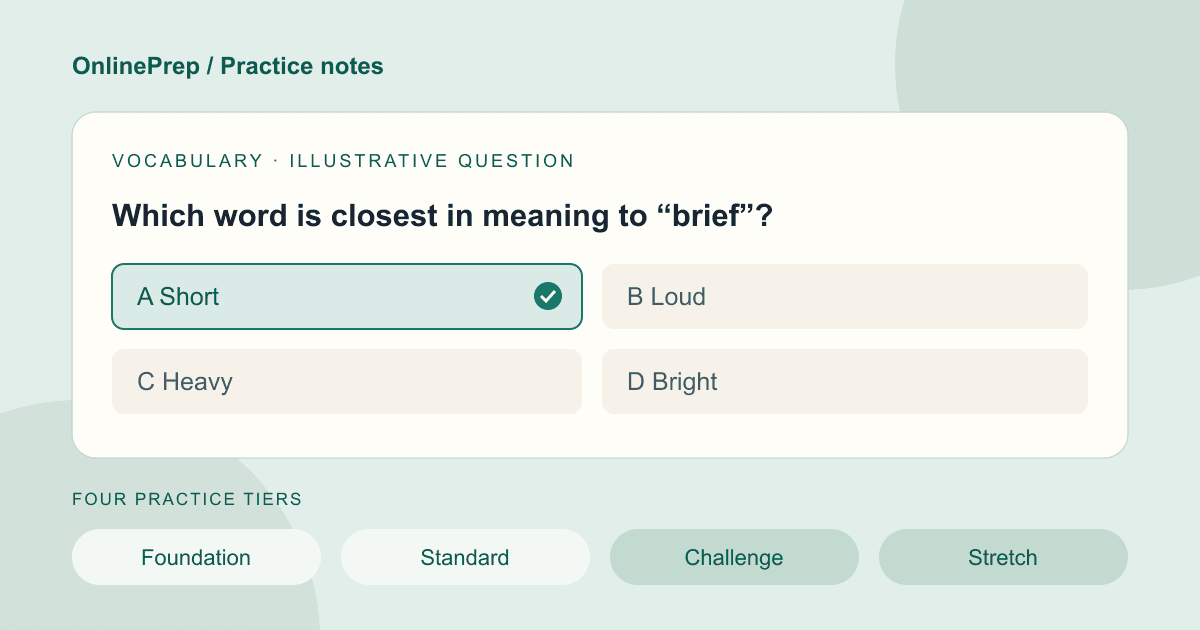
Start with a manageable session, look at how your child approached the questions, and use the explanations to choose what to practise next. An OnlinePrep tier is a practice indicator, not an official MidYIS score.
Before you start
First, check the assessment information supplied by your child's school. That is the place to confirm which assessment is being used and any instructions for the day. A practice website should not replace those instructions.
OnlinePrep is an independent resource with questions written in the style of MidYIS. It is not the official assessment, does not use the official question bank, and is not affiliated with or endorsed by its publisher. Its purpose is to provide a place to practise the question styles and review your answers.
Use a parent or guardian's email address when creating an account. We email a link to confirm the address, and practice opens once you have followed it. Before starting a timed session, make sure your child has time to work through the sections you have chosen and understands how to select an answer.
Get to know the four practice areas
OnlinePrep groups its practice into four areas. Skills includes two different activities, so the session selector lets you choose proofreading and speed-and-accuracy practice separately.
- Vocabulary: word meanings, opposites, and choosing words to complete sentences.
- Maths: working with numbers, reasoning, and solving problems.
- Non-verbal: recognising patterns, sequences, rotations, and relationships between shapes.
- Skills: spotting mistakes in text, and comparing information quickly and accurately.
Choose one section or a full practice session
You do not have to begin with every section. If your child is getting used to the interface, choosing one area makes that first session easier to fit into the time you have available. A full session is there when you want to work through the different areas together.
The setup screen shows the available timing options. Look at the section clocks before starting and choose deliberately. Finishing a session quickly is not the only useful outcome: noticing where a child needs to reread an instruction or reconsider an answer can give you something concrete to discuss afterwards.
Understand what the difficulty tiers mean
The four OnlinePrep tiers are Foundation, Standard, Challenge, and Stretch. Sessions begin at Standard, and the difficulty adapts as your child answers: a run of correct answers moves up a tier, and a run of mistakes moves down. Moving between tiers is part of the process, not a verdict on any single answer.
A free account includes a set number of free tests at Foundation and Standard; the practice setup shows how many you have left. Each test from a paid pack runs across all four tiers, including Challenge and Stretch. You can see what is included on the pricing page before deciding whether a pack is right for you.
A free session cannot show what your child would do in tiers it has not served. Reaching Standard on the free plan should therefore not be read as evidence that Standard is the limit of their ability. The tier labels describe practice within OnlinePrep, not a standardised score, percentile, or prediction of a school place.
Spend time on the answer review
After a session, look beyond the summary. Use the answer review to revisit questions that were missed and read the explanations together. Ask your child to explain what they noticed and how they made their choice before showing them the answer.
Try to distinguish an unfamiliar idea from a slip. Did a word have an unexpected meaning? Was part of the question overlooked? Was the difficulty in choosing a method, or in carrying it out? Those are different reasons to get an answer wrong and suggest different things to revisit.
Avoid treating a small change between sessions as a complete picture of progress. The questions and difficulty can vary. The review is most useful when it helps you identify something specific to understand or practise next.
Choose a specific focus for next time
At the end, pick one practical next step: revisit a vocabulary explanation, try another non-verbal section, or return to proofreading with particular attention to the instructions. You can choose the relevant section the next time you open the practice tool.
Your free tests are there to show whether this kind of practice helps your child before you pay anything. If you want more tests, harder questions, or the progress report across tests, compare the current packs and what they include. A purchase should follow a clear understanding of the product, rather than a worry about a single result.
Useful next steps
- Open the practice tool
Choose the sections you want to work through.
- Compare free practice and test packs
See what is included before choosing a pack.
- About OnlinePrep
Read why we built this independent practice resource.